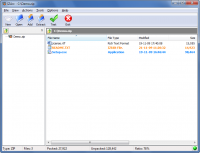
IZArc is the best freeware archive utility supporting many archive formats like: 7-ZIP, A, ACE, ARC, ARJ, B64, BH, BIN, BZ2, BZA, C2D, CAB, CDI, CPIO, DEB, ENC, GCA, GZ, GZA, HA, IMG, ISO, JAR, LHA, LIB, LZH, MDF, MBF, MIM, NRG, PAK, PDI, PK3, RAR, RPM, T
IZArc is the best freeware archive utility supporting many archive formats like: 7-ZIP, A, ACE, ARC, ARJ, B64, BH, BIN, BZ2, BZA, C2D, CAB, CDI, CPIO, DEB, ENC, GCA, GZ, GZA, HA, IMG, ISO, JAR, LHA, LIB, LZH, MDF, MBF, MIM, NRG, PAK, PDI, PK3, RAR, RPM, TAR, TAZ, TBZ, TGZ, TZ, UUE, WAR, XXE, YZ1, Z, ZIP, ZOO. With a modern easy-to-use interface, IZArc provides support for most compressed and encoded files, as well as access to many powerful features and tools. It allows you to drag and drop files from and to Windows Explorer, create and extract archives directly in Windows Explorer, create multiple archives spanning disks, creating self-extracting archives, repair damaged zip archives, converting from one archive type to another, view and write comments and many more. IZArc has also build-in multilanguage support.
With IZArc you can open CD image files like ISO, BIN, CDI and NRG.
It is also possible to convert such files from one type to another (BIN to ISO, NRG to ISO).
If you need to send large files to your colleagues, friends or customers who may not have archiving tool you can easily create self-extracting archive that can be extracted by simple double click.
IZArc can be configured to run your preferred Anti-Virus scanner when you open any archives.
IZArc supports 256-bit AES encryption to secure your data.
IZArc is integrated in Windows so you can perform all archiving operations by using right-click menus in Windows Explorer.
If you have broken archives IZArc can help you to repair them with ease.
IZArc is 100% virus free and it doesn't contain any spyware or adware.
IZArc is the most complete archive utility available today.
Operating system:Windows 2K / XP / 2003 / Vista / 7

BestSync 2008 is a professional utility for sync and backup file between net drive, shared folder, FTP server and USB removable media with filtering, encryption etc advanced features.
Price: $ 15, Rating: 10, Downloads: 198
Download

File Sync is a very fast and robust files and folders synchronization software for Windows. It automates the replication of data between desktop PCs, laptops, USB drives and more.
Price: $39.95, Rating: 10, Downloads: 165
Download

Products for users have the account of MicroSoft windows live skydrive service. This is tool to do realtime backup, one-click restoration, auto-save, management without any user's interaction. Auto-save every 3 minute of current working file.
Price: $0, Rating: 5, Downloads: 134
Download

Genie Timeline is a time machine backup software for Windows that automatically and continuously backs up music, videos, photos, files and folders on your machine with little or no user intervention bringing unique simplicity to file backup.
Price: $34.95, Rating: 0, Downloads: 127
Download

Asoftech Photo Recovery is an easy to use data recovery software available to restore your photos, music and videos from local PC and removable devices. No matter multimedia files have been deleted accidently, or memory card has been formatted.
Price: $0, Rating: 10, Downloads: 126
Download 
 IZArc 4.1.7